
Apps
MatesBot on the web, desktop, and phone
You can reach your MatesBot teammates on the web at my.matesbot.com, in the desktop app for Mac, Windows, and Linux, and in the iPhone and Android apps. Your chats, routines, and teammates are the same everywhere.
Sign up with your work email.
Choose where you work
Web
The full app in your browser at my.matesbot.com, including live voice calls with your teammates.
Open my.matesbot.comDesktop: Mac, Windows, Linux
A desktop app that connects to my.matesbot.com, with live voice calls and Teach a task.
iPhone and Android
Chats and files stored on your phone, a send queue that works offline, swipe to reply, voice notes, and full-screen media.
A tour of the iPhone app
Real screens from the MatesBot iPhone app. Private details are blurred.
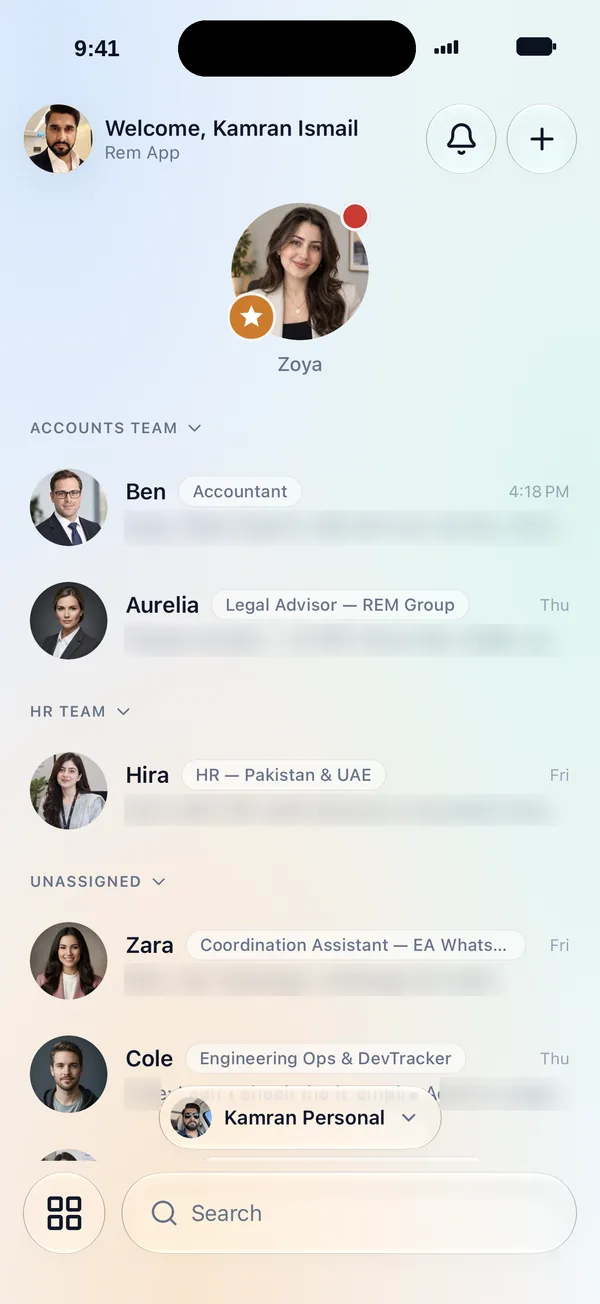
1Your team
Every teammate in one list
Open the app and your AI teammates are grouped by team, each with its role and its latest message. Tap one to pick up the conversation where it left off.
- Teams such as Accounts and HR, plus anyone not yet assigned
- A role label on every teammate, like Accountant or Legal Advisor
- Search to find any teammate fast
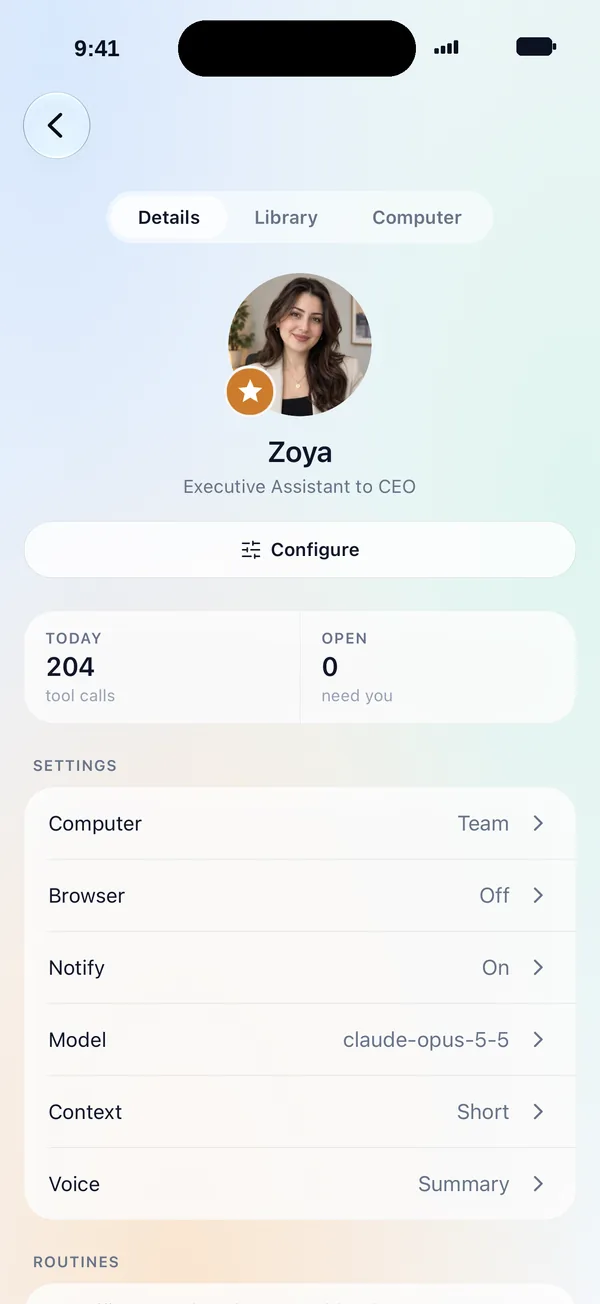
2Teammate settings
See what each teammate did today
Each teammate has its own page with today's tool calls and the number of items that need you. Its settings sit right below.
- Computer, browser, and notifications
- The AI model it uses, how much context it keeps, and how voice replies work
- Its routines, plus Library and Computer tabs
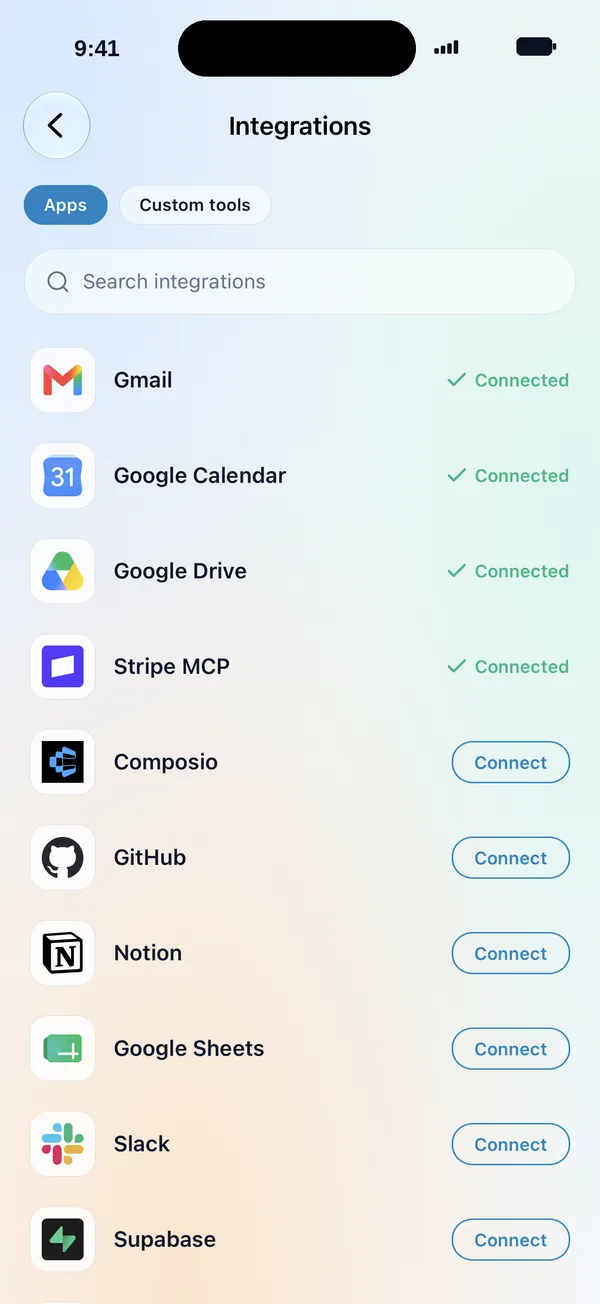
3Integrations
Connect the apps your work lives in
Connect apps from the catalog, such as Gmail, Google Calendar, Google Drive, Notion, Google Sheets, Slack, and GitHub. Add your own under Custom tools.
- A green check shows what is already connected
- Search the catalog to find an app
- Each teammate needs your permission to use a connection
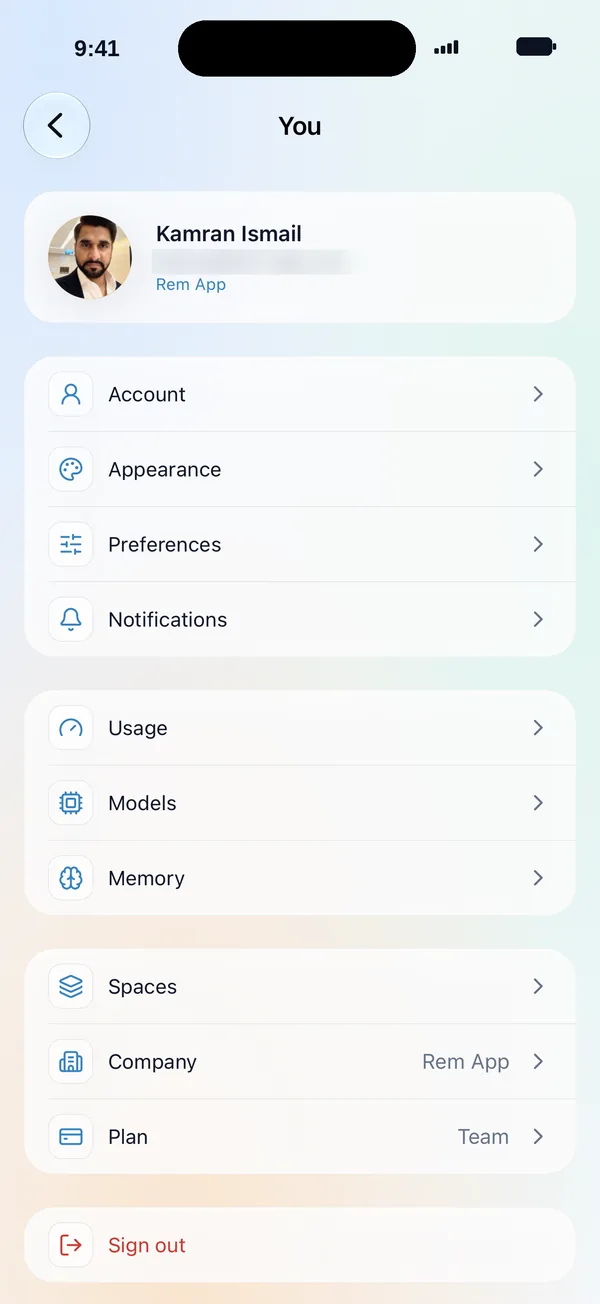
4You and your company
Your account, models, and plan in one place
Check usage, choose models, manage memory, and switch spaces or company settings from your phone.
- Usage, Models, and Memory
- Spaces, Company, and Plan
- Appearance, preferences, and notifications
On your phone
The mobile apps cover teammate settings, routines, integrations, and company screens. Send voice notes and your teammate receives a transcript. Live voice calls are on web and desktop.
- Chats are stored on the phone and excluded from backups.
- Notification previews can be hidden.
- Smart alerts: if you are at your computer, alerts go there first. Your phone is pushed only if the chat is still unread.
- Only real replies count as unread.
In your language
The app interface is available in English, German, Korean, Turkish, Hindi, Portuguese (Brazil), Simplified Chinese, Spanish, and Russian.
Give your first teammate real work today.
Sign up with your work email. The Owner Bot sets up your company with you in chat.